
How to create a support request in Ternary?
Learn how to create a support request in Ternary to get help with configuration, integrations, and account issues.
Support requests can be created directly from the Ternary interface. This allows issues or questions to be submitted quickly without leaving the platform.
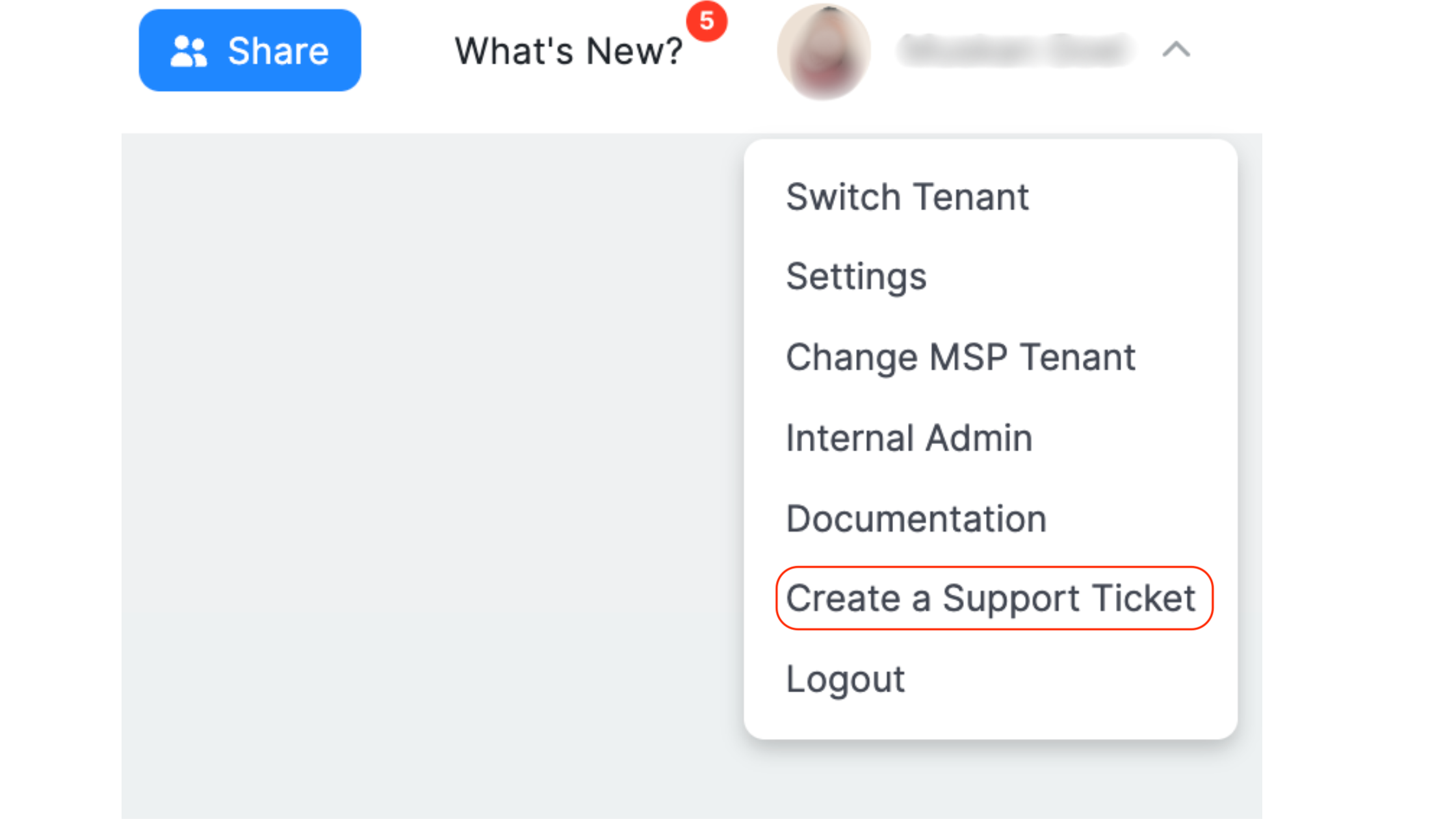
- Open the user menu from the top-right corner of the application
- Select “Create a Support Ticket”
- Complete the support form with the required details
- Select Submit to create the request
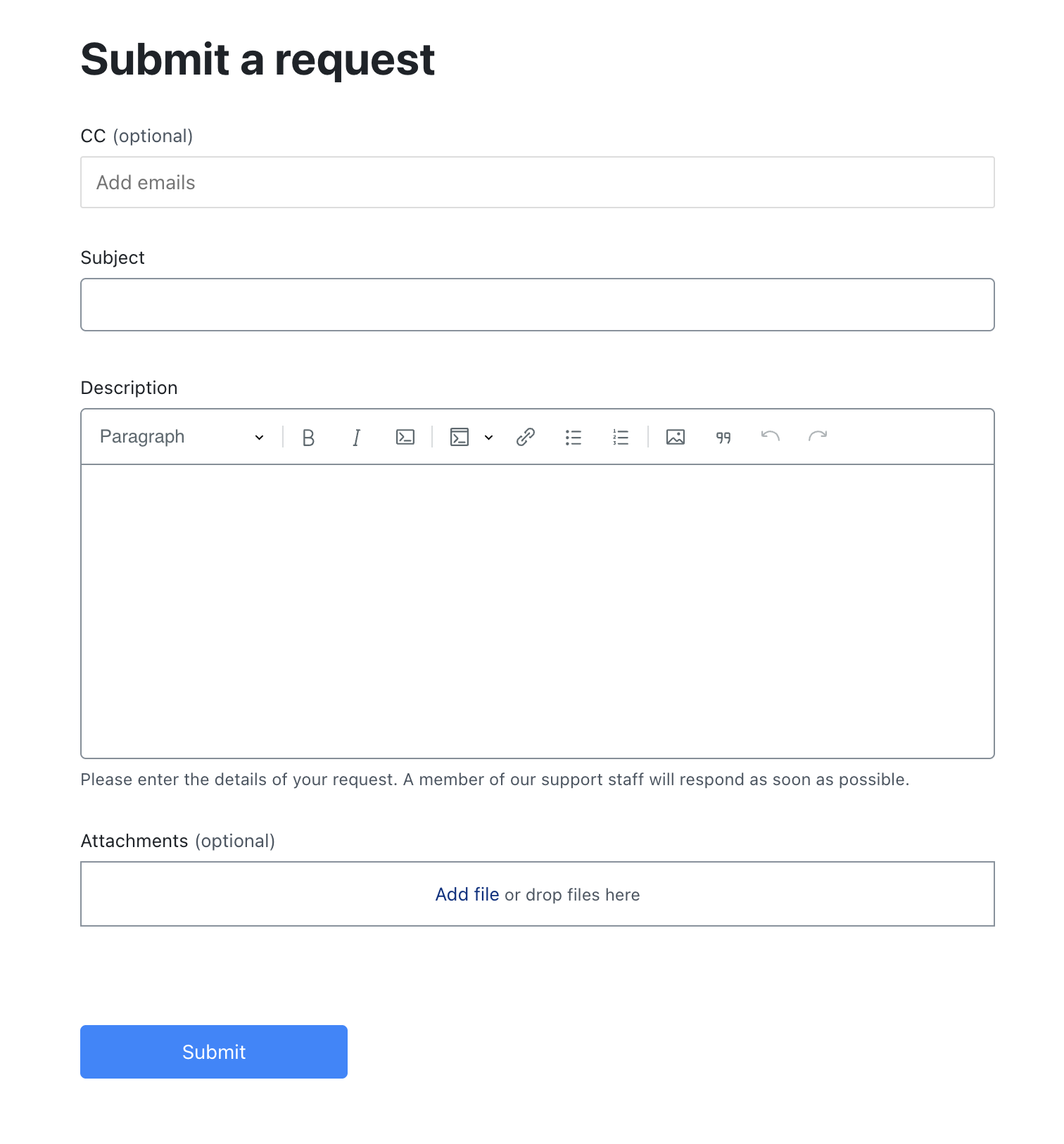
Once submitted, the support request is routed to the Ternary team for review and follow-up.
Updated 6 months ago
Did this page help you?