
Multi-currency Support
Learn how multi-currency reporting works in Ternary, including preferred currency settings, exchange rate behavior, permissions, and MSP-level controls.
Multi-currency support in Ternary allows organizations to view and analyze cloud spend in a consistent reporting currency, even when underlying cloud bills are issued in different currencies. This enables standardized reporting across regions, providers, and tenants while preserving accurate financial context.
Currency settings apply across reporting, budgeting, and billing workflows, ensuring that financial outputs align with internal reporting and accounting expectations.
What capabilities does multi-currency support provide?
Ternary’s multi-currency support includes the following capabilities:
- Preferred currency selection: Choose a display currency from a list of over 200 supported currencies.
- Automatic currency conversion: Costs are converted automatically using monthly exchange rates.
- Audit logging: All changes to preferred currency settings are recorded for transparency and traceability.
- MSP-level currency control: MSPs can define and manage a standard reporting currency for each child tenant.
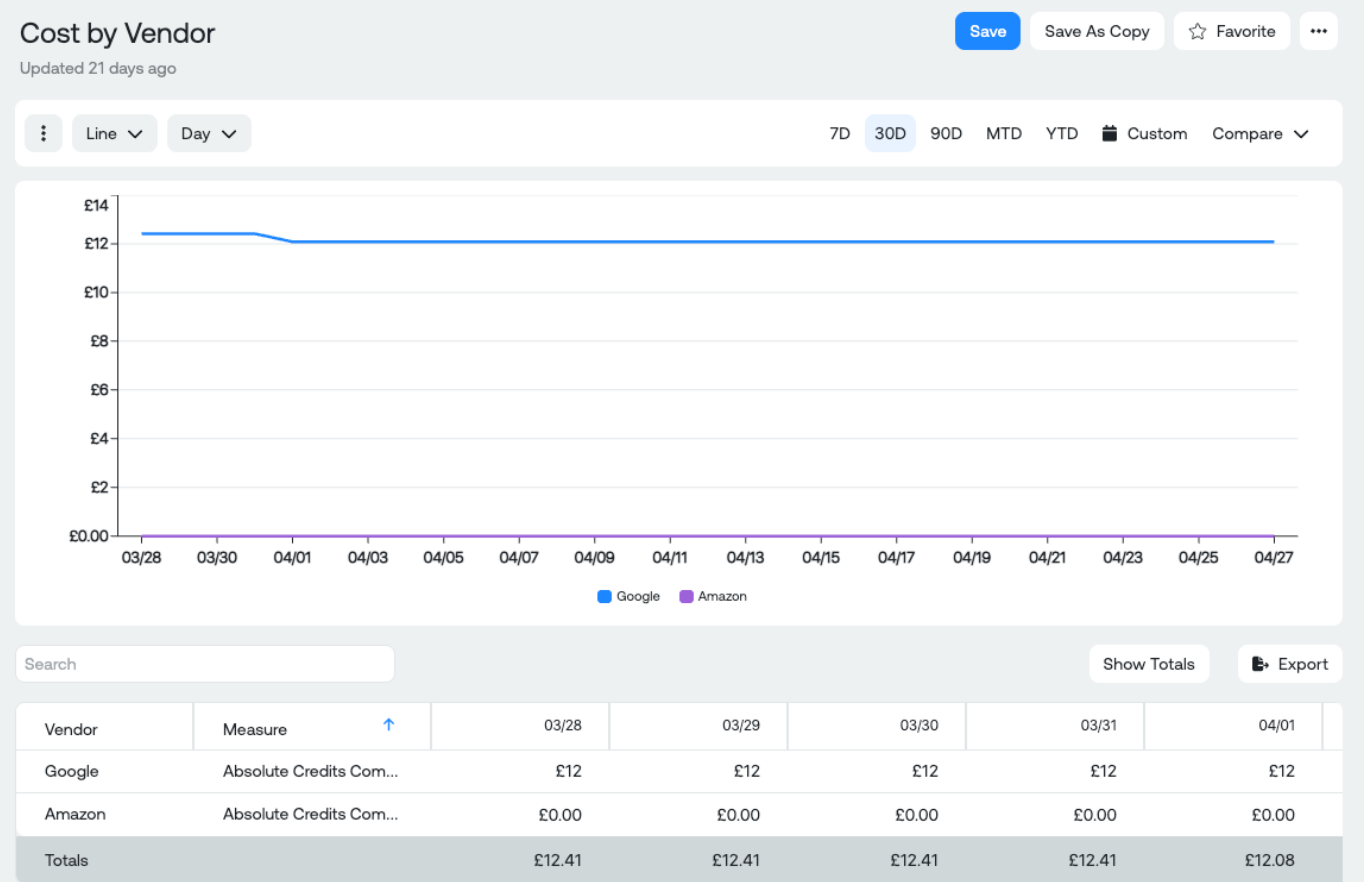
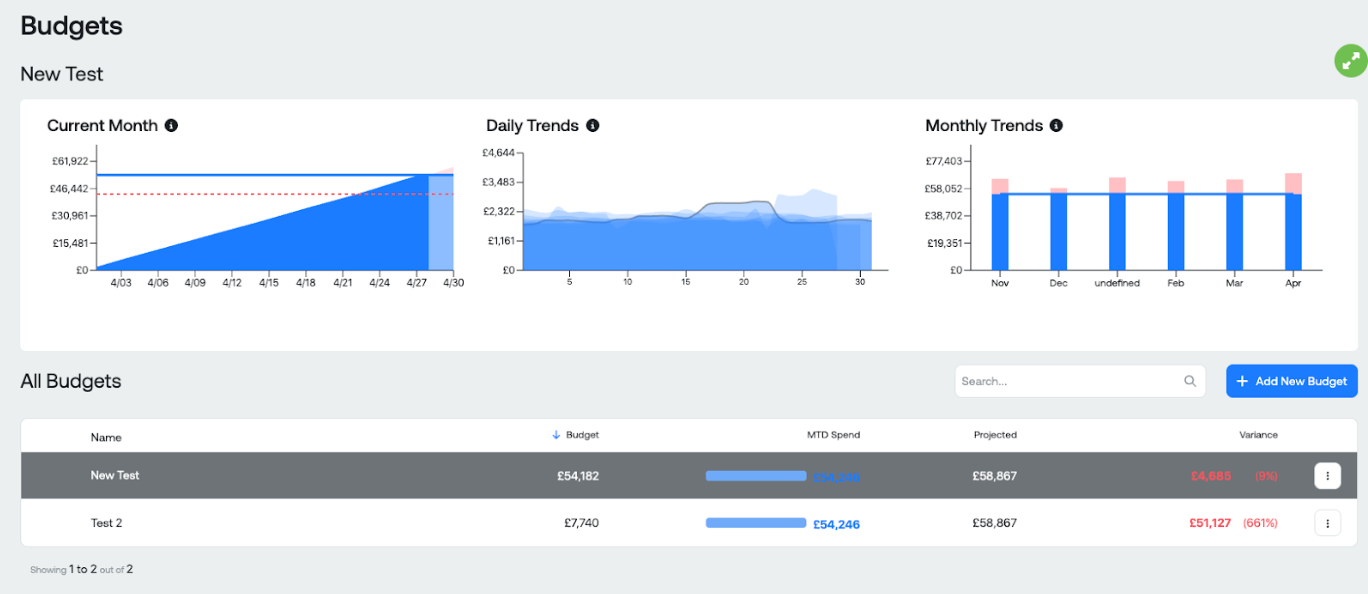
- Localized reporting: Dashboards, reports, and budgets are displayed in the selected preferred currency.
How does preferred currency configuration work?
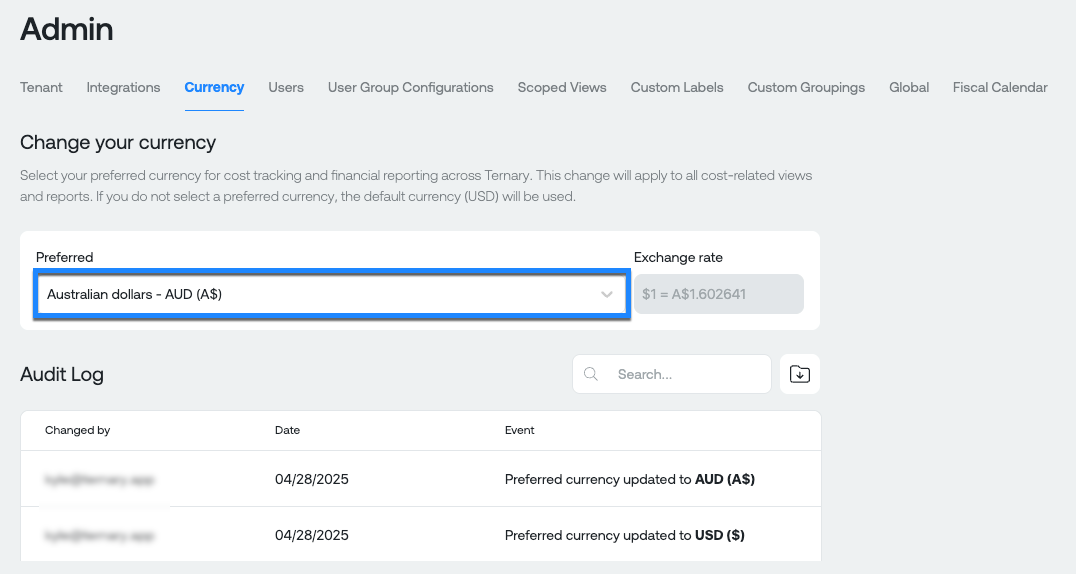
A preferred reporting currency can be configured from Admin → Currency.
Once selected, Ternary applies monthly exchange rates to convert costs from source billing currencies into the preferred currency. The selected currency is used consistently across the platform.
The preferred currency applies to:
- Dashboards
- Reports
- Budgets: Budgets continue to be defined in USD but are displayed using the preferred currency for reporting consistency.
- MSP Billing Statements: Statements are generated in the child tenant’s preferred currency by default. MSPs may override this during statement creation when required.
How does currency management work for MSPs?
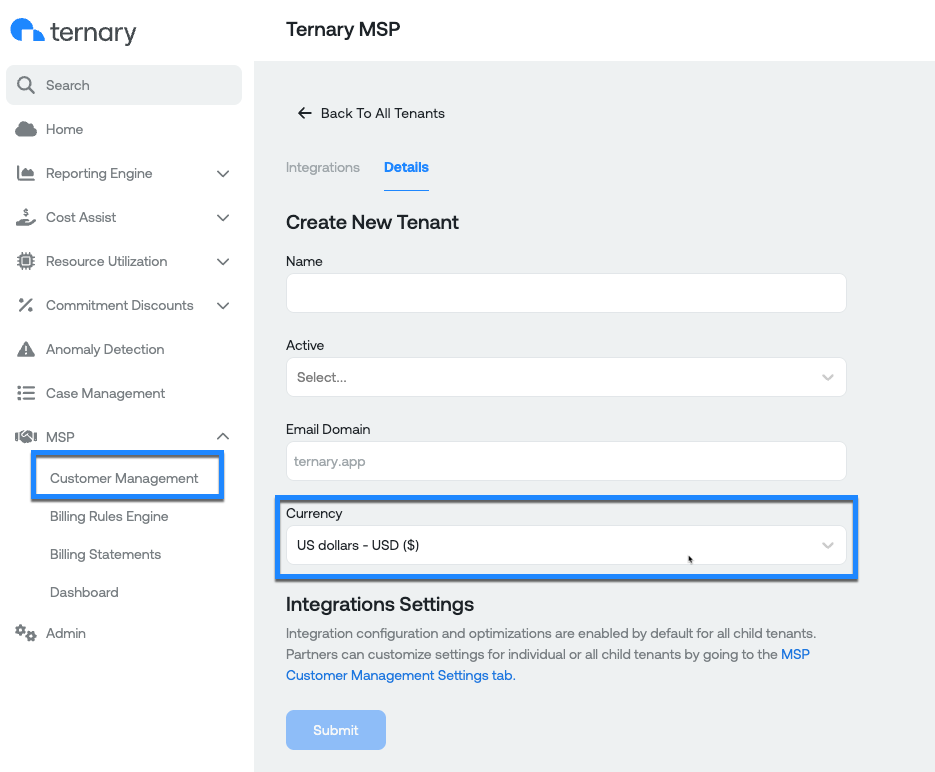
For managed service providers (MSPs), currency settings can be controlled at the tenant level.
- MSPs can define a standard reporting currency for each child tenant
- Child tenant administrators can set or update their own preferred currency where permitted
- Billing statements inherit the child tenant’s currency unless explicitly overridden
This allows MSPs to support regional reporting requirements while maintaining consistency across tenants.
What permissions are required to manage currency settings?
Currency configuration is controlled by role-based permissions as follow:
| Role | Permissions |
|---|---|
| Tenant Admin | Configure the default currency for the organization |
| Full Access User | Set and override preferred currency individually |
| MSP Admin | Set preferred currency for partner tenant and all child tenants |
| Tenant Admin (Child) | Can set the preferred currency for the child tenant |
How are exchange rates handled?
Ternary uses a fixed, predictable exchange rate model to ensure reporting stability.
- Data source: Open Exchange Rates API
- Update frequency: Monthly, applied on the first day of the month at 00:00 UTC
- Rate locking: Each month’s data uses the exchange rate locked for that period
- Fallback behavior: If a rate is temporarily unavailable, the most recent known rate is used
This approach avoids volatility caused by real-time exchange rate fluctuations.
Is there an audit trail for currency changes?
Yes. All changes to currency settings are logged.
- Updates to preferred currency are recorded
- Applied exchange rates are visible by month for transparency and audit purposes
Example views
Report: Cost by Vendor in preferred currency
Budget displayed in preferred currency
Frequently asked questions
- Can the reporting currency be changed later?
Yes. The preferred currency can be updated at any time from Admin → Currency.
- Does changing the currency affect historical reports?
Historical reports are recalculated using the exchange rate locked for each reporting period, not current rates.
- What happens if no preferred currency is set?
Data is displayed in the tenant’s default currency, which is USD.
- Are exchange rates real-time?
No. Ternary uses monthly locked exchange rates to ensure consistency and predictability in reporting.
Updated 9 months ago